
Brew better coffee, one pour at a time.
A guided pour-over timer that tells you when to pour and how much, and a journal that remembers every bean and every cup you loved.
- Works offline
- No account needed
- Free
How a brew goes
Four steps, from the bag on your shelf to a cup you'll remember.
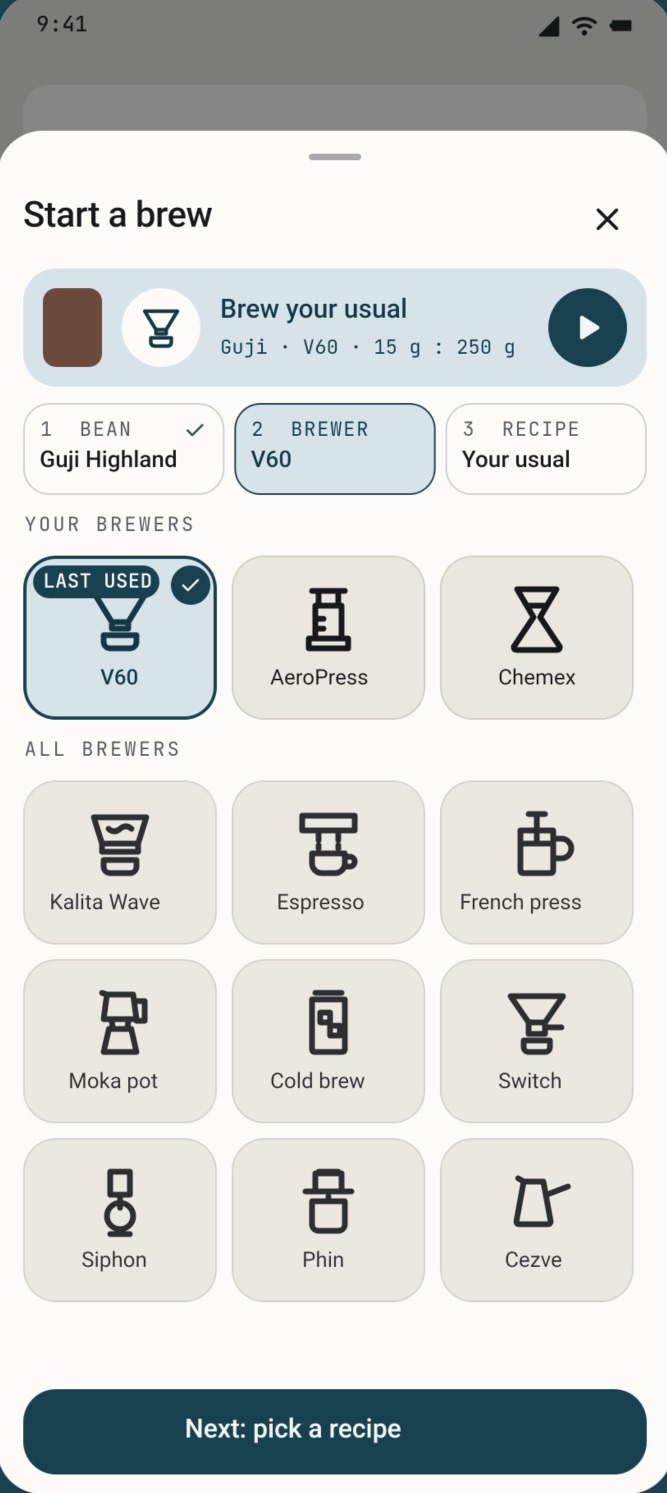
Pick
Choose the bean, your brewer and a recipe. Your usual is one tap; Brew again starts from any past cup.
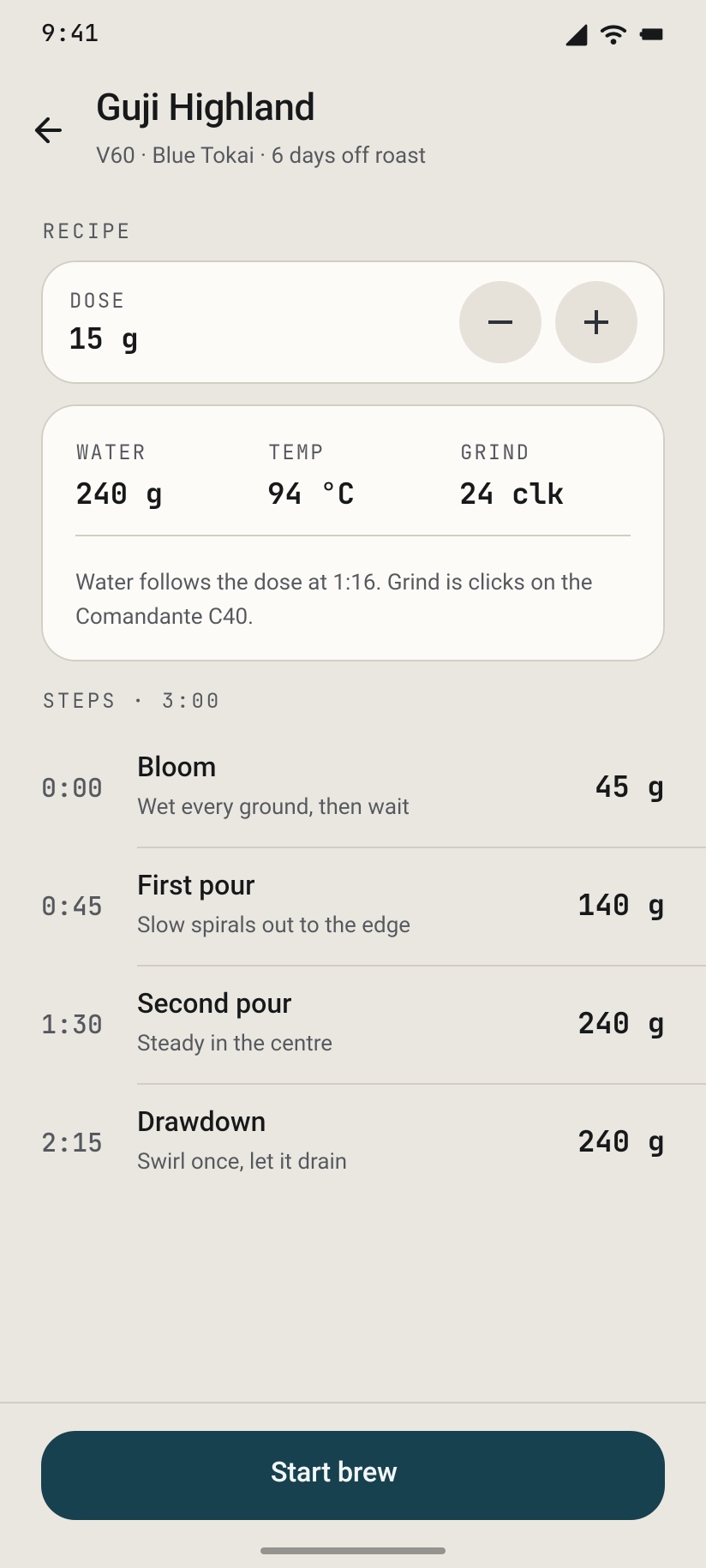
Check the plan
See every pour before you start: dose, water, temperature and your grinder's clicks, already filled in from last time. Change anything, then Start brew.
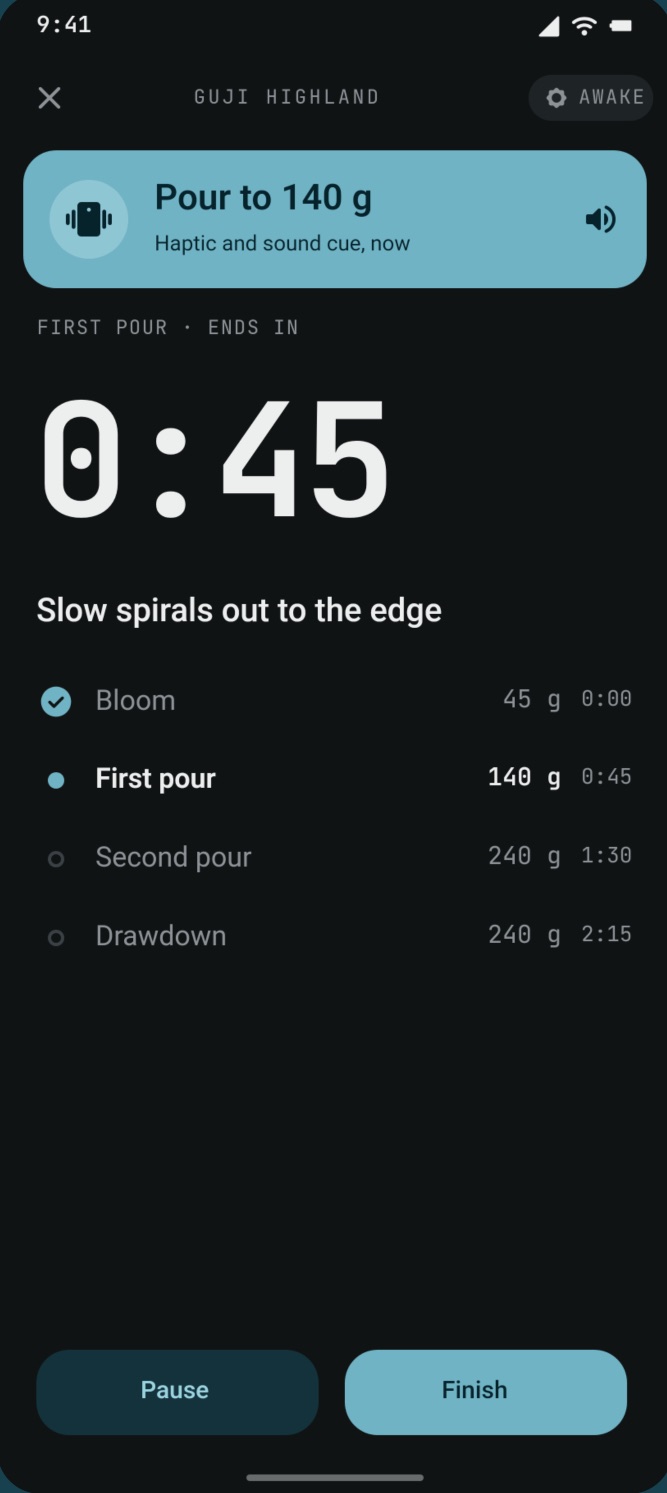
Pour
The timer advances on its own and calls each pour in grams, with a haptic cue, so wet hands stay off the screen. Pause any time.
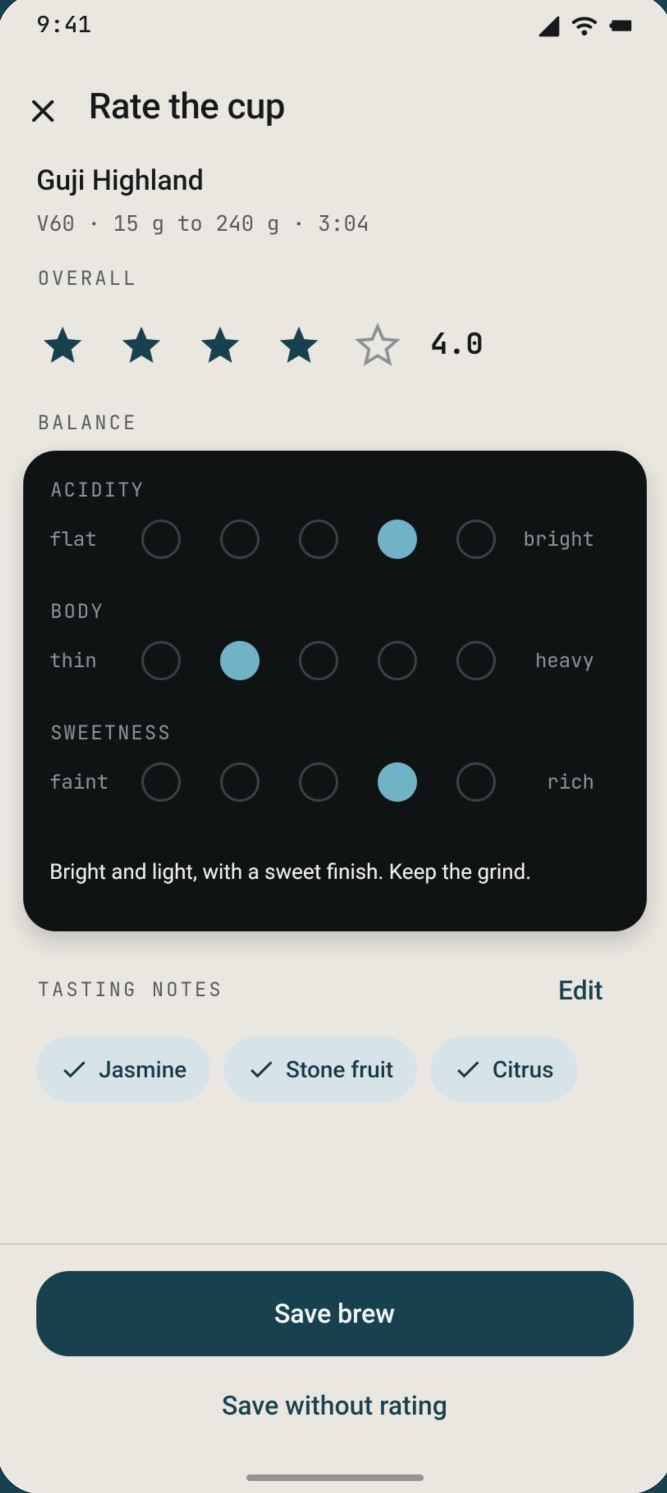
Rate
Stars, acidity, body and sweetness, and tasting notes from the flavour wheel. Your next brew starts from what worked.
Keeps pouring with your phone locked
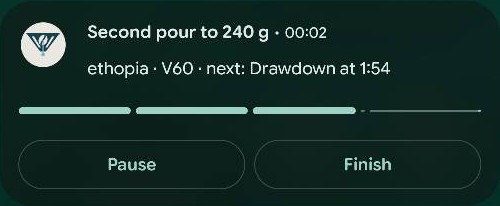
Lock the phone or switch apps mid-brew and Brewmate still calls every pour, with an alert and a short buzz. With Pro, the brew stays on your lock screen: the pour you're on, a countdown to the next one, and a bar with one segment per pour.
- Pause, resume or finish from the notification (Pro)
- Close the app by accident and the brew is still there when you reopen it
- The screen stays awake while the timer runs
A shelf that knows when your beans peak
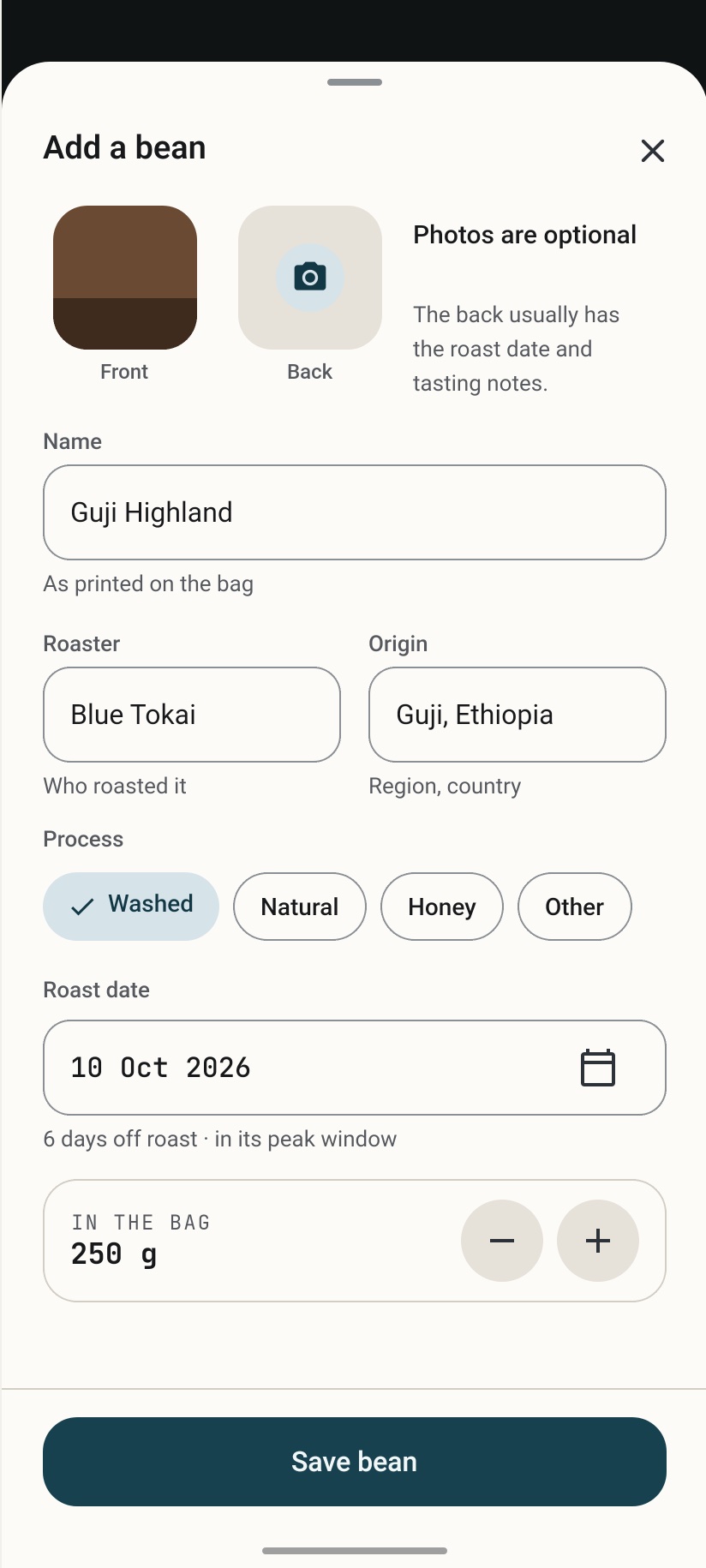
Add a bag in seconds: name, roaster, origin, process, and a photo of the label if you like. Enter the roast date, or "packed on", or "not printed".
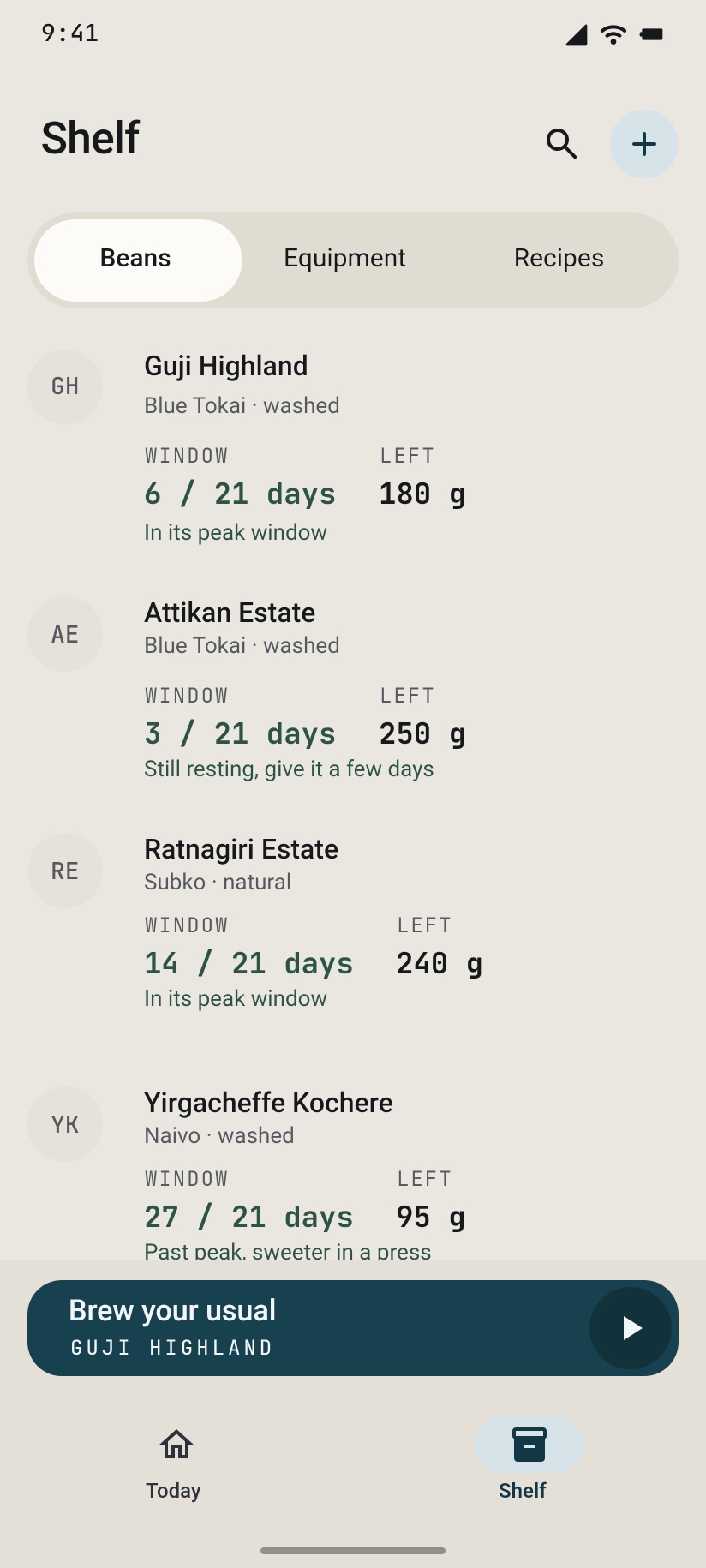
- A rest window for each roast level: resting, at its best, past peak
- Grams left in the bag, counted down with every brew
- Every brew you made with that bag, and how you rated it
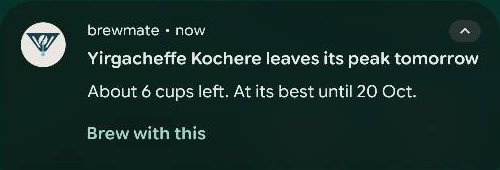
- A morning note when a bag is ready, and three days before its peak ends, with "Brew with this" one tap away
Learn a recipe from a coffee reel
Saw a great recipe in an Instagram reel? Share the link to Brewmate. It reads the post and turns it into steps you can brew right away with the guided timer.
There's also an Inspiration feed of hand-picked brewing reels when you want something new to try.
- Pour 150 g · 0:00
- Pour 2120 g · 0:45
- Pour 3180 g · 1:30
- Pour 4240 g · 2:15
- Pour 5300 g · 3:00
Your gear, your grind
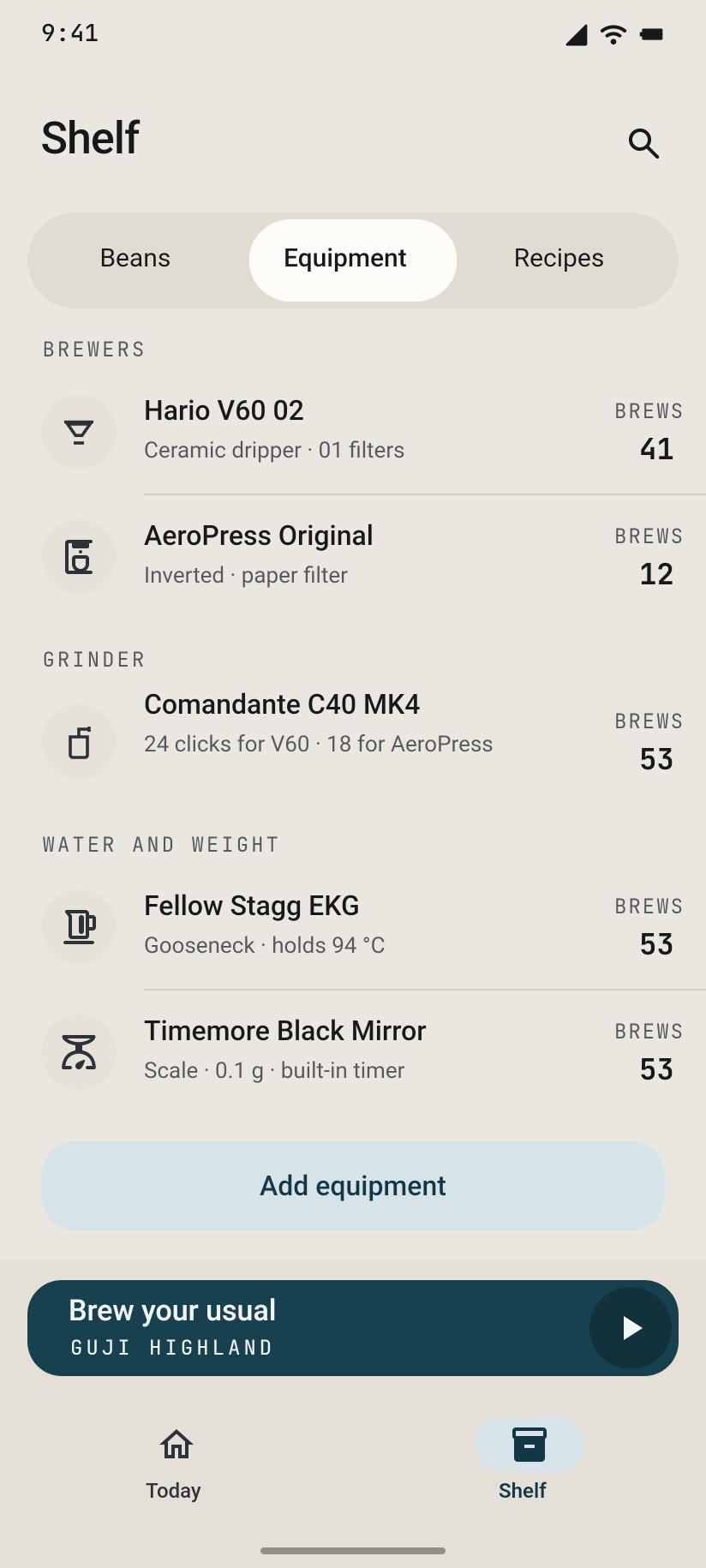
Pour-over, immersion, pressure and the classics. Add your brewers and your grinder with the clicks you use for each, and Brewmate brings them into every plan.
- V60
- Chemex
- AeroPress
- Kalita Wave
- French press
- Switch
- Moka pot
- Espresso
- Siphon
- Phin
- Cezve
- Cold brew
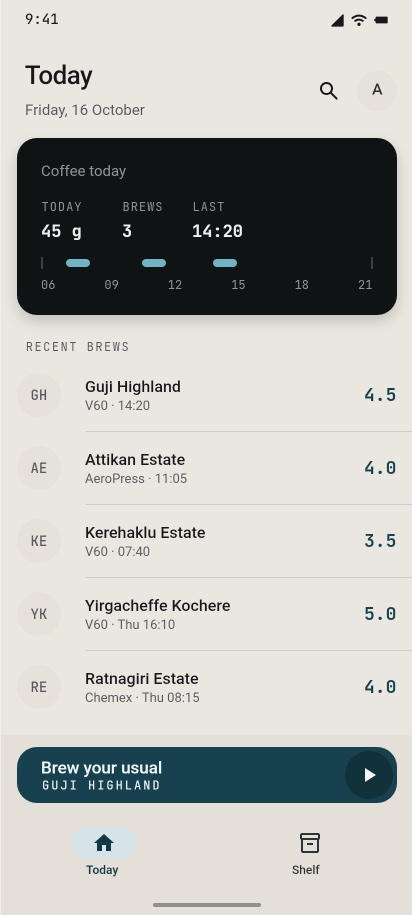
Your coffee day, at a glance
Today shows how much coffee you've had and when, plus your recent brews with their ratings. Open any brew to see exactly how you made it, or brew it again.
No streaks, no targets, no badges. Just a record you can trust.
Private by default
No account needed
Brewmate opens straight into the app. Everything you log stays on your phone and works offline.
Back up when you want
Sign in with a 6-digit code sent to your email, no password. Your log syncs and comes back on a new phone.
Delete any time
Delete your account from Settings or on this site. Synced data and photos are removed from our servers.
Be one of the first to brew with it.
Tap the Android button, then give the Google account email from your Android phone. We'll send your invite when testing opens on Google Play. On iPhone? Join the iPhone beta on TestFlight, no sign-up needed.